


If you’re like most photographers and graphic designers you’re probably always on the search for new tools and apps for supercharging your workflow to save hours of your valuable time. Because when working with hundreds of photos at a time, you must find new ways to adjust and improve them as quick as you can.
In this post, you’ll learn about a useful new plugin you can use to enhance your photos with just one-click and make endless adjustments easily. The best part is you can try this plugin before buying it, and it even works without Photoshop.
What is this magical new plugin? It’s called Topaz Studio. Let’s take a closer look and find out what you can do with this app.
What Is Topaz Studio?
Topaz Studio is an impressive Photoshop plugin developed by Topaz Labs, a company that specializes in Photoshop plugins and brought you many great tools such as Topaz Sharpen AI and Topaz Adjust AI.
Topaz Studio uses Topaz Labs’ advanced photo enhancement technology and it’s an app designed to help photographers edit, fix, adjust, and enhance photos instantly with less effort. Isn’t that the dream?
Topaz Studio comes with a set of premium tools, customizable adjustments, and a set of one-click effects for getting things done quicker than ever.
Yes, everything about Topaz Studio sounds cool. But, you’re obviously thinking is it worth downloading? Well, here are a few reasons why you should consider installing this plugin.
#1 – Instant Access To Professional Tools
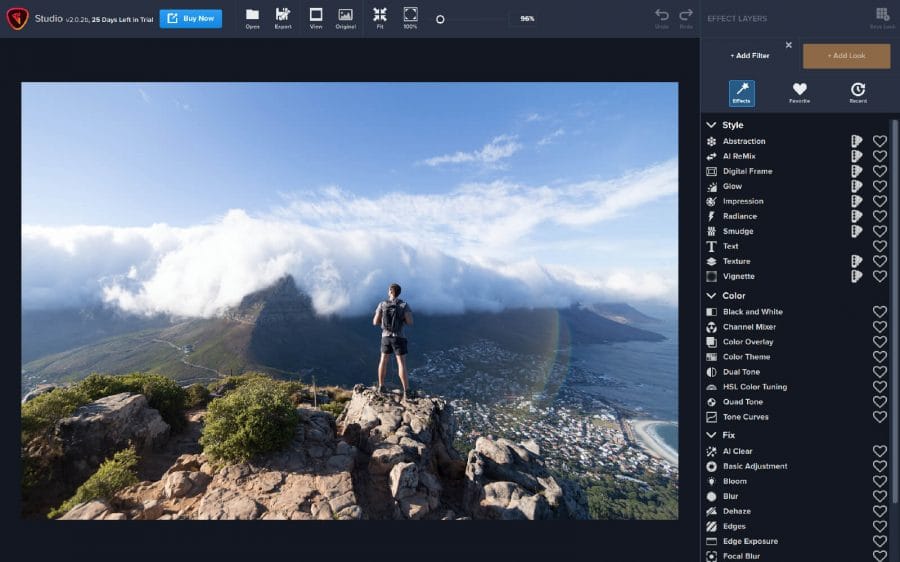
You’ll find that these aren’t your everyday image editing filters as soon as you give them a try. Topaz Labs actually started off creating Photoshop filters. They condensed a decade of specialized post-processing experience into a set of the most useful filters available only for Studio 2.
Check all the editing filters Topaz Studio offers here…
#2 – Time-Saving 1-Click Effects
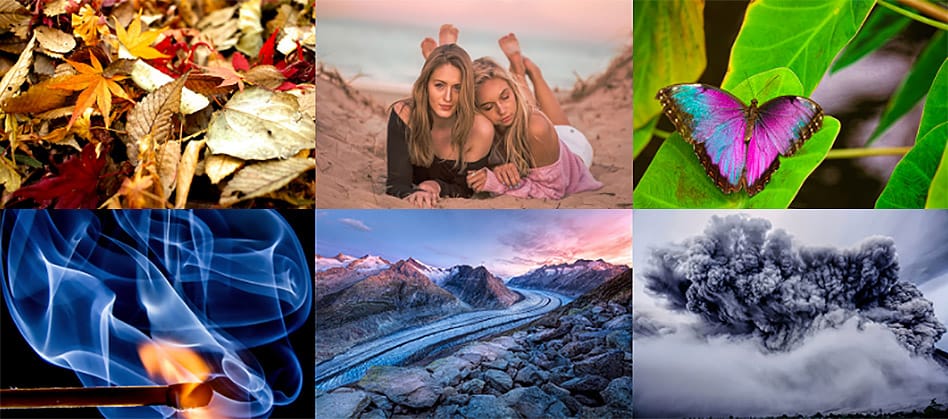
Wouldn’t it be amazing if you could simply apply new effects, add new image styles, try different looks, and enhance photos with just a single click of a mouse button?
That’s exactly what you can do with Topaz Studio. The app comes with a set of one-click effects that will make your photo editing life a whole lot easier. Just think about how much time you will be able to save with these one-click effects.
#3 – No Photoshop? No Problem
A common problem with most Photoshop plugins is that you can’t use the features of the plugin without Photoshop. And this often makes the plugin run slower and lag on even the most powerful computers.
Topaz Studio, on the other hand, doesn’t require Photoshop to run the app. In fact, Topaz Studio is a stand-alone app that works without Photoshop or Lightroom. In a way, Topaz Studio is an image editing app of its own.
If you already have Photoshop then you’ll be able to connect Topaz Studio with Photoshop to effortlessly edit and enhance photos quicker than ever. Since Topaz Studio is a standalone app, it works faster than an ordinary Photoshop plugin as well. But, Photoshop is not required to use Topaz Studio.
#4 – Powerful selective adjustments and masking.
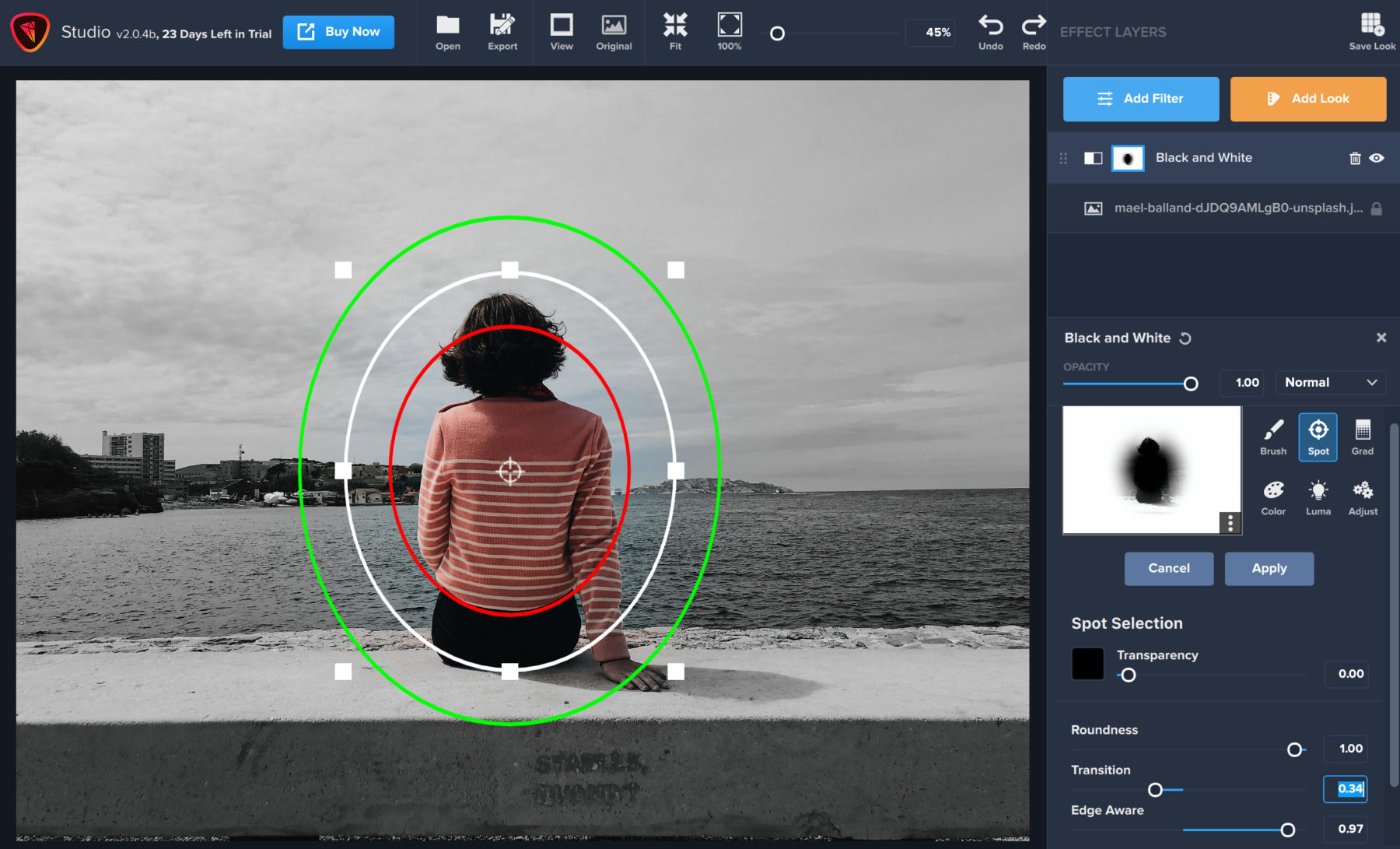
There’s a big difference between masking for compositing vs. selective adjustments. Topaz Studio focuses entirely on selective adjustments, and Topaz think of it as a central feature of the product instead of an add-on. As you’ll see, this led to many design decisions intended to shorten the amount of time you spend refining your mask, like including edge awareness in each masking tool in Studio.
#5 – Create And Save Custom Effects
If you’re a fan of customizing and experimenting with effects of your own, you’ll certainly fall in love with Topaz Studio.
The app allows you to create custom effects of your own and save them for later. When you’re connected to the internet, these custom effects will sync to your Topaz Studio account to let you access your custom effects through any device you own.
Conclusion
Topaz Studio provides a workflow devoted entirely to creative photo post-processing. Topaz Studio has only one purpose: creative photo editing. This starts after you select your image and ends when you export your finished work. It’s designed specifically around the artisanal post-processing workflow of carefully crafting a single image to your vision.
Studio is the editor to use when you want jaw-dropping images and you’re not afraid to spend the time to get them. It’s for creating works that push the bounds of your artistic vision; the few that you know you’ll look back upon in years as one of your best creations


