


Portrait editing has a problem. You can spend hours perfecting skin texture, removing blemishes, and adjusting facial features—only to end up with results that look artificial or overdone. Traditional tools treat every pixel the same way, leaving you to manually mask and adjust each element of a face individually.
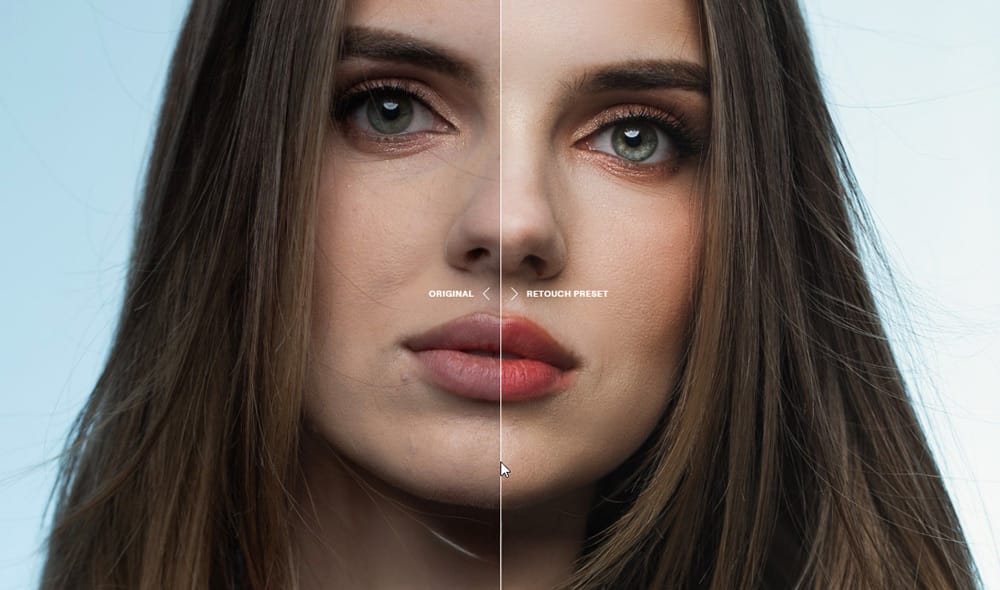
Aperty takes a different approach. Developed in collaboration with renowned photographer Julia Trotti, this specialized portrait editor uses AI to recognize facial features and apply targeted adjustments that maintain natural skin texture while delivering professional results.
AI That Actually Recognizes Faces
Most photo editors work the same way they did twenty years ago—adjust exposure globally, apply noise reduction to everything, sharpen the entire image equally. This blanket approach works fine for landscapes, but faces are more complex.
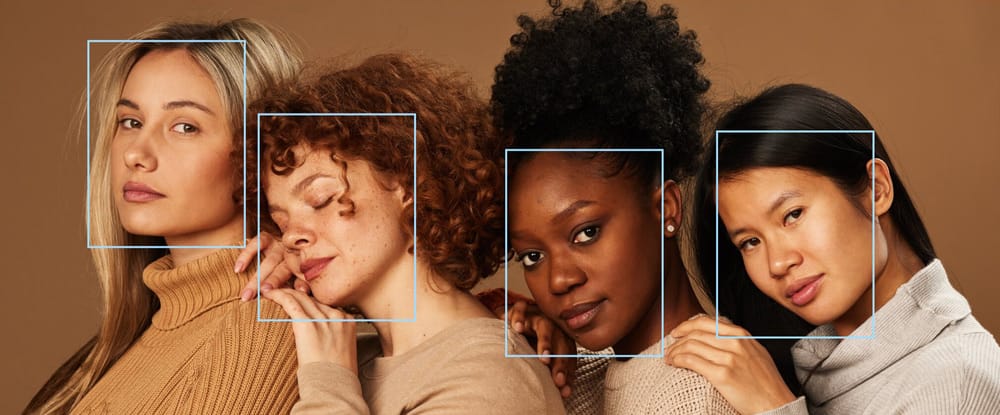
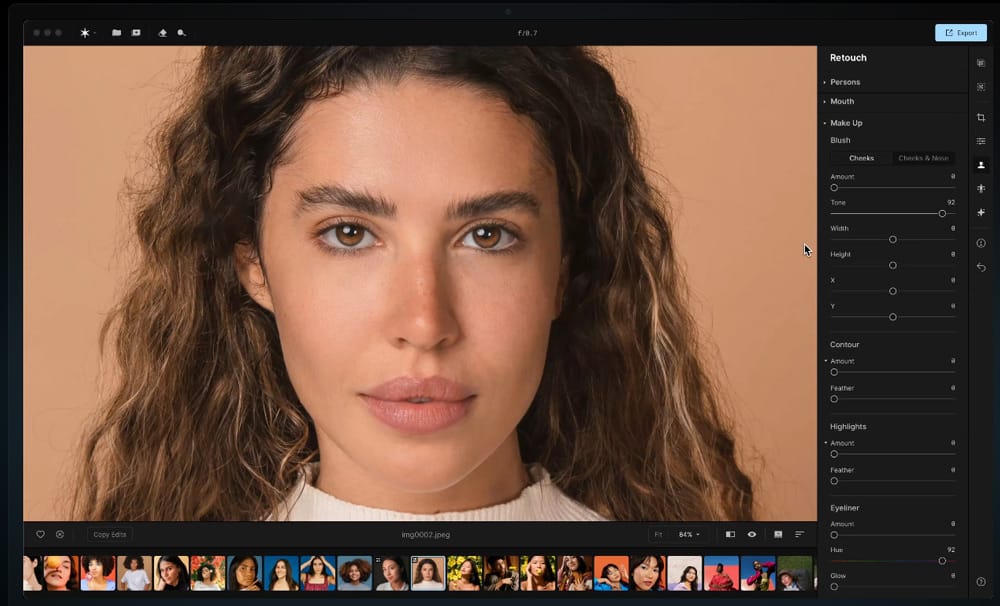
Aperty's AI engine identifies specific facial elements and applies different enhancements to each area:
- Eyes get precise sharpening without affecting surrounding skin
- Skin receives targeted smoothing while preserving natural texture
- Teeth can be whitened without affecting lip color
- Hair stays sharp while facial skin gets smoothed
The software knows that skin needs different treatment than hair, and that eyes require more precision than background elements. This isn't just marketing—the difference shows up immediately when you start using it.
Built for Speed: 10x Faster Processing
The software addresses portrait photography's biggest bottleneck: processing time. A typical portrait session generates 100-200 images that need individual attention. Traditional workflows mean hours of repetitive work.
What Aperty automates:
- Blemish removal across entire batches
- Consistent skin smoothing
- Eye enhancement and whitening
- Facial contouring adjustments
- Makeup application effects
The result? What takes 10-15 minutes per portrait manually can be accomplished in under a minute with comparable quality. For high-volume work, this time savings is transformative.
Professional Presets That Adapt
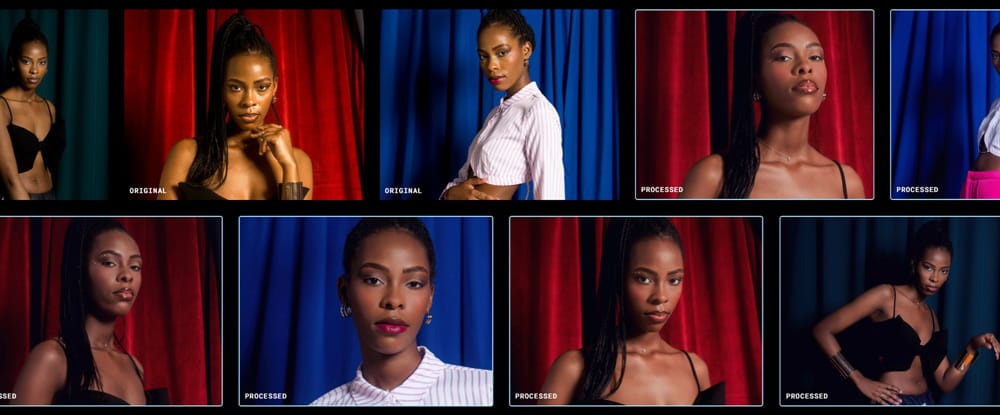
Unlike generic filters that apply the same adjustments regardless of the image, Aperty's presets use AI recognition to deliver consistent results across different lighting and skin tones.
What you get:
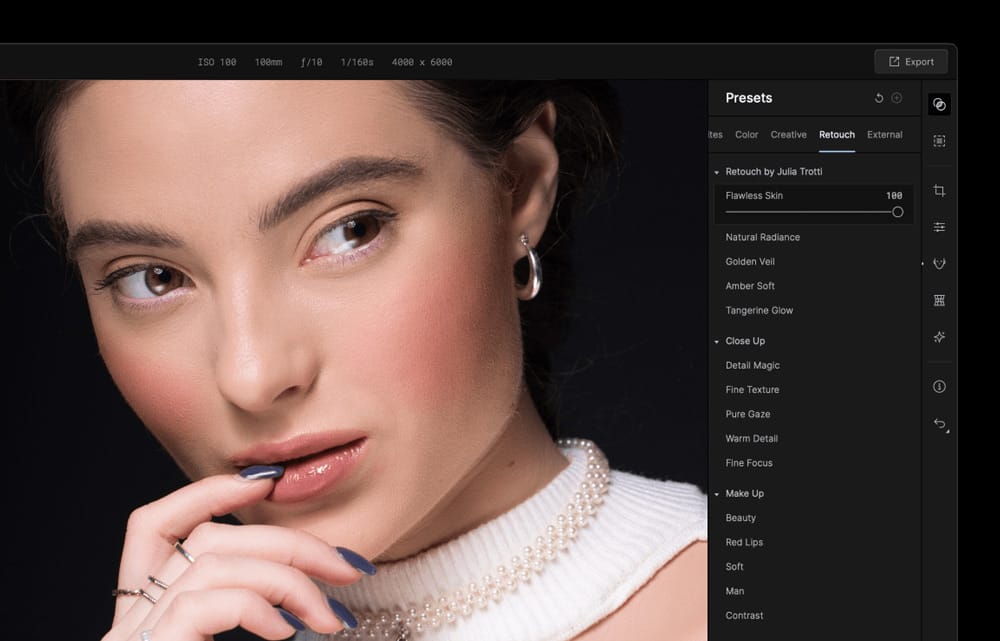
- 50+ built-in presets constantly updated
- Exclusive presets by Julia Trotti (renowned photographer who collaborated on Aperty's development)
- Custom preset creation for consistent client branding
- Adaptive application that adjusts to each face automatically
Each preset combines multiple targeted adjustments—skin retouching, color correction, eye enhancement—into a single action that adapts to the specific face in your image.
Complete Feature Set for Portrait Work
Facial Retouching:
- Face blemish removal
- Skin smoothing and color correction
- Wrinkle reduction while preserving texture
- Facial contouring and reshaping
Eye Enhancement:
- Iris color adjustment
- Eye whitening and enlargement
- Removing redness and enhancing detail
- Precise sharpening without artifacts
Additional Features:
- Teeth whitening and enhancement
- Lip smoothing and makeup application
- Body skin retouching
- Advanced human detection for group shots
Works With Your Existing Workflow
Integration Options:
- Standalone application for dedicated portrait editing (available for both Mac and PC)
- Plugin support for Adobe Photoshop, Adobe Lightroom, and Luminar Neo
- Batch processing for high-volume sessions
- Offline processing - no cloud uploads required
The flexibility means you can integrate Aperty into established workflows without disrupting current processes. Process locally with complete privacy control over client images.
Who Benefits Most
High-volume portrait photographers see immediate workflow improvements—wedding photographers processing hundreds of portraits per event, portrait studios maintaining consistent quality across sessions.
Photographers wanting professional results without extensive Photoshop skills benefit from automated complexity that would otherwise require significant technical knowledge.
Experienced retouchers find value in automation for routine adjustments, freeing time for creative work.
Real-World Performance
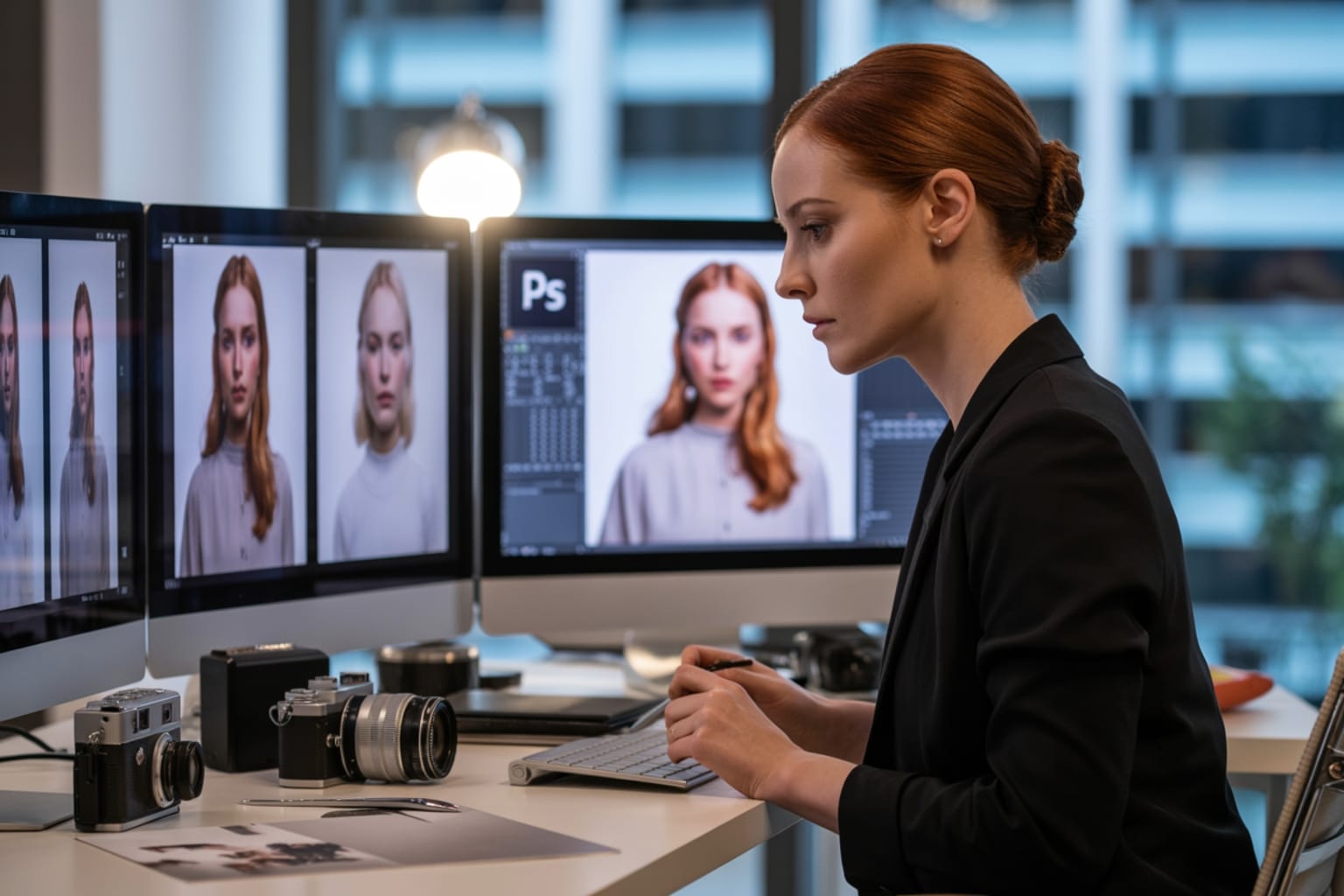
The quality trade-off that usually comes with automation isn't present here. Results maintain the subtle, natural appearance that distinguishes professional retouching from amateur over-processing.
Handles different portrait types equally well:
- Professional headshots
- Wedding portraits
- Family photography
- Fashion and beauty work
The AI adapts its approach based on image content rather than applying generic adjustments.
Ready to Transform Your Portrait Workflow?
Aperty offers a seven-day free trial with full access to all features. Test the AI retouching, batch processing, and professional presets on your own portrait work.
Purchase Options:
- Subscription plans for always-updated access to the latest features
- Perpetual license for one-time purchase ownership
Skylum regularly offers special discounts on Aperty, so you might find additional savings available.
Start your free 7-day trial and discover what automated portrait perfection looks like with your own images.


