Create a Vintage, Russian Constructivist Poster in Photoshop

Create a Vintage, Russian Constructivist Poster in Photoshop

This tutorial explores the distinct aesthetic of Russian Constructivist poster design, a movement renowned for its geometric forms, bold typography, and limited color palettes. Originating in the early 20th century, this style transformed art into a tool for social and political messaging, leaving a lasting impact on graphic design.

Through this comprehensive guide, viewers will learn practical Photoshop techniques to replicate the iconic look of Constructivist posters. The lesson covers essential steps from setting up the canvas to applying textures and integrating custom typography, enabling you to craft your own unique vintage designs.

Watch the Full Tutorial

Video by Blue Lightning. Any links or downloads mentioned by the creator are available only on YouTube

Understanding Russian Constructivism in Graphic Design

Russian Constructivism emerged in the post-revolutionary Soviet Union, advocating for art that served practical, social purposes rather than purely aesthetic ones. Artists like Alexander Rodchenko, a key figure, sought to create designs that were functional, accessible, and capable of communicating powerful messages to a mass audience. This approach led to a distinctive visual language characterized by its stark simplicity and dynamic compositions.

The core principles of Constructivist poster design include the use of:

  • basic geometric shapes (circles, squares, triangles)
  • a restricted color palette, typically red, black, and white, sometimes with accents of blue or yellow
  • bold, sans-serif typography often arranged diagonally or vertically
  • photomontage elements to add realism and impact.

The emphasis was on clarity, efficiency, and industrial aesthetics, reflecting the era's focus on technology and social progress.

Constructivist posters were not merely decorative; they were integral to political campaigns, advertising, and public information, acting as powerful visual tools. Their influence extends far beyond their historical context, inspiring countless modern graphic designers and remaining a testament to the power of minimalist, purposeful design.

Practical Tips for Constructivist Poster Design

  • Utilize the Halftone Pattern filter in the Filter Gallery to create the characteristic dotted or lined textures.
  • Employ the Color Range selection tool to isolate shadows or specific color areas for precise adjustments.
  • Apply Layer Styles, such as Stroke and Inner Glow, to shapes and text for defining outlines and adding depth.
  • Clip adjustment layers (e.g., Color Lookup or Photo Filter) to ensure they affect only the immediate layer below.
  • Use the Transform Tool with Perspective to distort elements, aligning them with the dynamic angles common in Constructivist art.

More Tutorials about Vintage Poster Design

Explore additional tutorials that delve into creating various styles of vintage posters and graphic designs in Photoshop.

Create a retro ’50s Sci-Fi poster in Photoshop
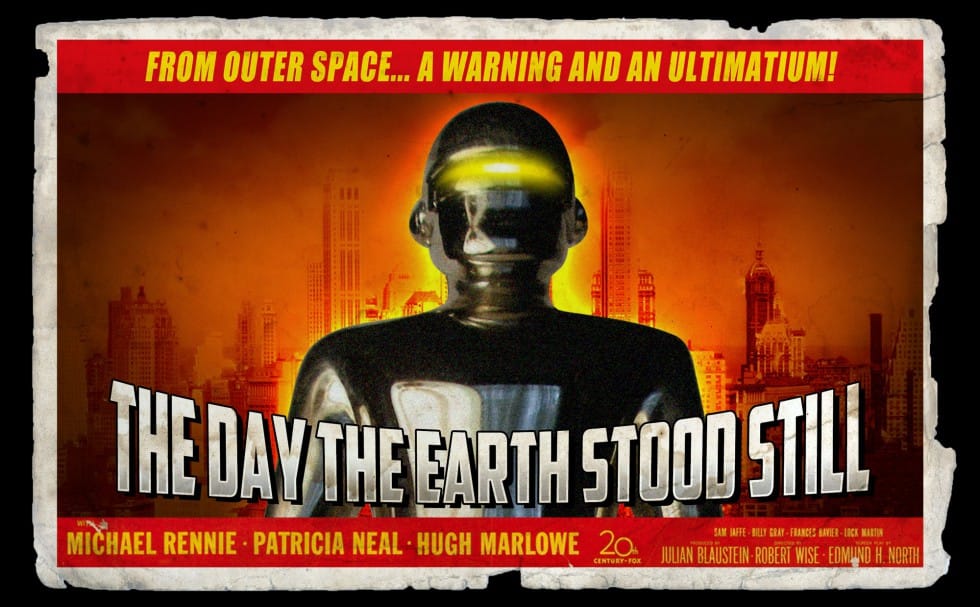
In this engaging tutorial by Marty Geller from Blue Lightning TV, you will learn to create a nostalgic 1950s sci-fi poster using Photoshop. The tutorial focuses on transforming a classic movie poster into your own retro design. Throughout the lesson, you will explore techniques that capture the essence of mid-century science fiction art. The example presented is a redesign of the iconic 1951 poster for "The Day The Earth Stood Still." By the end of the tutorial, you'll have a better understand
How to Create a Retro Boxing Poster in Photoshop
Calling all boxing enthusiasts and design aficionados! Dust off your love for vintage aesthetics and step into the ring with this dynamic Photoshop tutorial. We’ll be throwing punches (figuratively, of course) to create a captivating retro-boxing poster, brimming with the bold energy of the golden age of the sport. This tutorial is perfect for both seasoned Photoshop users and aspiring designers. Regardless of your experience level, the instructor will meticulously guide you through the creatio
Crafting a Typographic Poster in Adobe Photoshop
Join Adobe’s UX Growth Designer, Curtis Ying, as he transforms a Swiss Typographic poster through an engaging design process. With the input from the Instagram community, this presentation showcases how he carefully selects a bold red background that sets the tone for the entire piece. Throughout the process, Curtis shares his techniques for integrating organic shapes and text that harmoniously flow within the design. Utilizing various Photoshop tools, he guides you step-by-step, making it easy
Create a Vintage Circus Poster in Photoshop
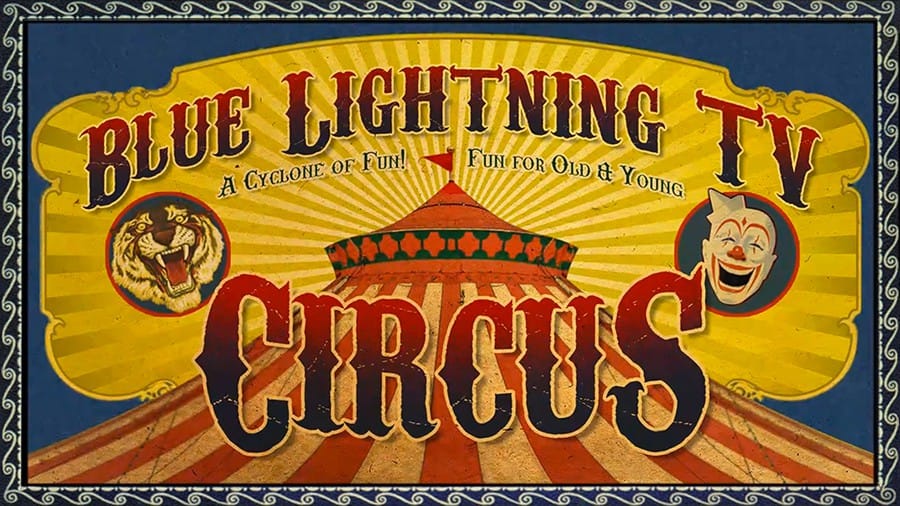
In this tutorial you will how to make a custom, vintage, circus poster. Part 1 shows how to make the finished poster base and Part 2 shows how to add the text. Download Circus Poster PSD template, Download the Paper texture, Download the Magical Dreams font, Download Carnivalee Freakshow Regular font. Part 1 Part 1

Member discussion

Get tutorials & freebies delivered to you.

Subscribe to the Photoshop Roadmap newsletter, a weekly roundup of new tutorials, insights and quality downloads, trusted by 6500+ readers.

You might also like

How to Use AI Masking in Adobe Camera Raw for Professional Photo Editing

Adobe Camera Raw's AI masking tools automatically detect subjects, backgrounds, skies, and landscapes, letting you make precise adjustments to specific areas of your photos. These intelligent masks eliminate the need for manual selection work, while allowing you to combine and refine them for complete creative control. The technique...

How to Remove Objects from Photos Using AI Tools in Photoshop

Photoshop's AI-powered object removal tools can eliminate unwanted distractions from your photos with minimal effort. The Remove Tool and Generative Fill feature automated detection for common distractions like people and wires, plus manual painting options for custom removals. These tools work on separate layers, preserving your original image...

Speed Up Your Color Grading Workflow with Photoshop Actions

Color grading can transform your images, but manually adjusting curves and levels for every photo takes time. Photoshop actions offer a faster approach by applying professional color treatments with a single click. This workflow uses pre-built actions, tints, and LUTs to achieve various moods and styles instantly, letting you layer...

7 Essential Tips for Speed Painting in Digital Art

Speed painting isn't just about working faster—it's about eliminating friction from your creative process. These seven techniques help you get ideas onto canvas quickly without getting bogged down in unnecessary decisions or premature details. Whether you're exploring concepts for professional work or personal...

Professional Color Grading Techniques in Photoshop

Color grading transforms ordinary photos into compelling images with professional mood and atmosphere. These non-destructive techniques let you adjust tones, enhance specific colors, and create cinematic looks while preserving your original image data. Master these four essential color grading methods to develop a consistent editing workflow that elevates your photography....

How to Save Cut-Out Elements with Transparent Backgrounds in Photoshop

Creating seamless photo composites requires properly saving cut-out elements with transparent backgrounds. Whether you're extracting people, objects, or other elements for later use, the file format you choose determines how easily you can place these elements into new scenes. Two main approaches work best: saving as PSD files...

You’ve successfully subscribed to Photoshop Roadmap
Welcome back! You’ve successfully signed in.
Great! You’ve successfully signed up.
Success! Your email is updated.
Your link has expired
Success! Check your email for magic link to sign-in.