Photoshop 2025: A Quantum Leap in Creative Power

Photoshop 2025: A Quantum Leap in Creative Power

Adobe has once again rolled out its yearly update for Photoshop, and this year, it's all about streamlining workflows and making generative AI even more accessible. Photoshop 2025 offers a variety of features that seek to enhance the creative process and save time. Let's explore some of the most noteworthy additions.

Simplifying Complex Tasks: Key Features of the 2025 Update

Distraction Removal: Say goodbye to tedious hours spent manually removing unwanted elements from your images. With the updated Remove Tool, you can now automatically eliminate distractions like people, wires, and cables with a single click. This functionality, powered by AI, scans your image and intelligently removes the selected distractions while seamlessly blending the background. This feature is also available in Photoshop on the web, expanding its accessibility.

Generative Workspace (Beta): This new workspace, currently in beta, is a powerhouse for those who utilize Photoshop's generative AI features. You can now execute multiple prompts concurrently, eliminating the wait time between image generations. Additionally, the workspace enables you to organize your creative assets by favoriting, searching, and reusing generated images. The introduction of variables in prompts allows for the generation of diverse concepts with a single click, boosting your creative explorations.
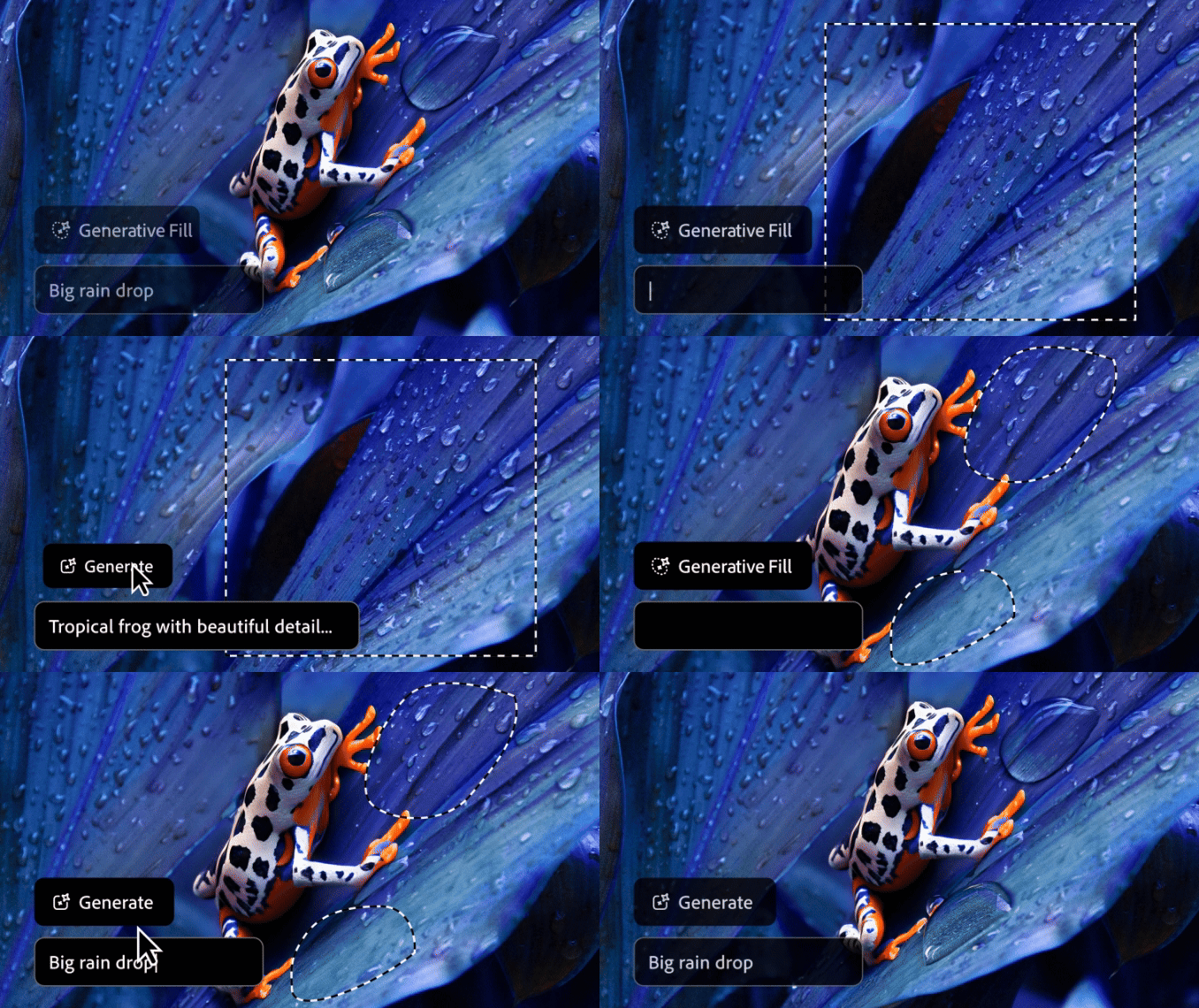
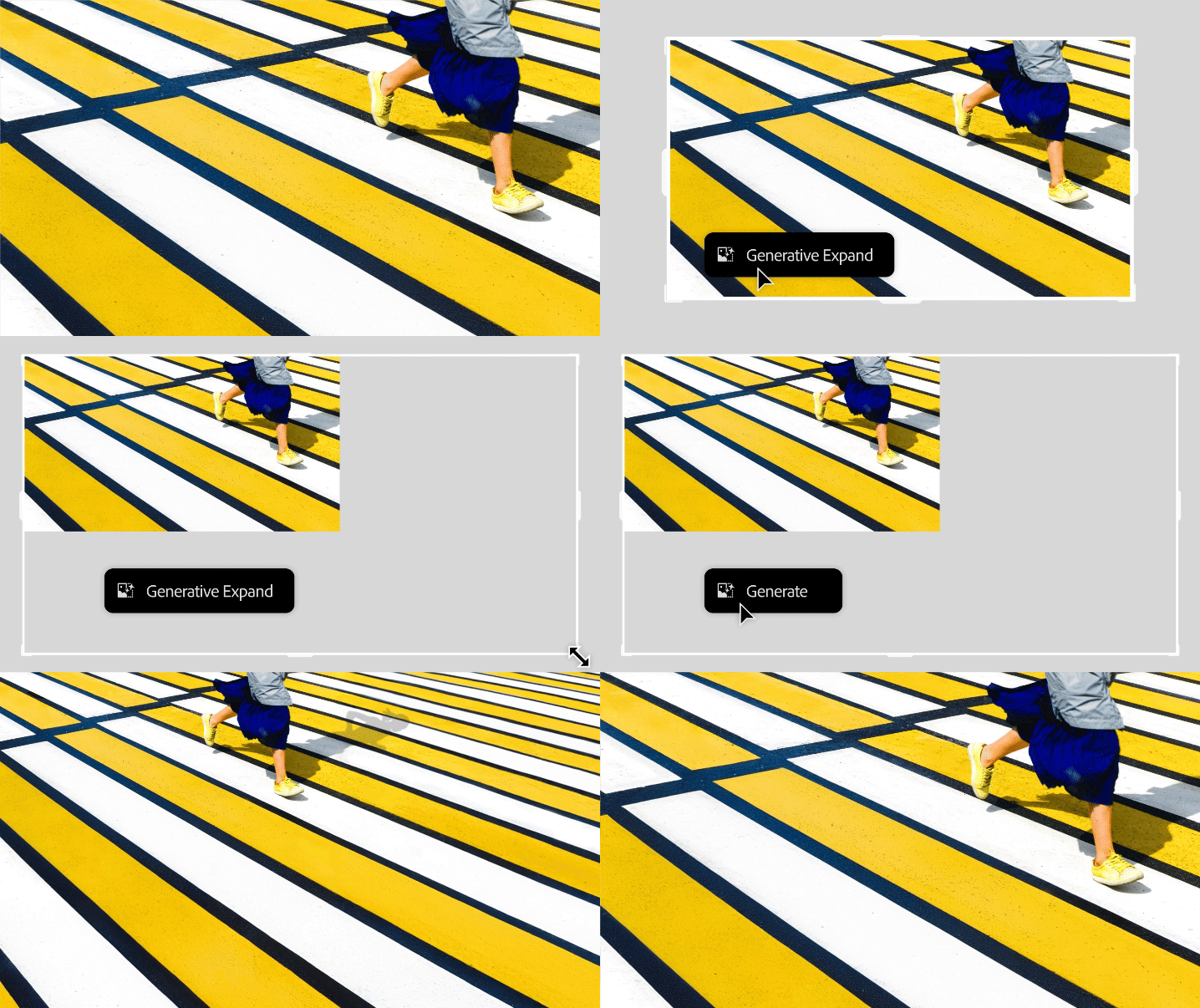
Enhanced Generative AI with Firefly 3: The integration of the Firefly version 3 model in existing AI features like Generative Fill, Generative Expand, and Generate Background has brought significant improvements. These include enhanced photorealism, a better understanding of complex prompts, and a wider variety of generated results. Users can now achieve more realistic image manipulation, add or remove content seamlessly, and replace backgrounds effortlessly, all with improved accuracy and creative flexibility.
Adjustment Brush: This new addition streamlines the process of making localized edits by combining the creation of adjustment layers, selections, and masking into a single tool. Users can now select the desired adjustment and directly brush it onto the specific area, simplifying a common yet multi-step workflow.

ADVERTISING

External Sources: A Roundup of Opinions and Insights

Numerous online sources have reviewed the new Photoshop 2025 update, highlighting both its strengths and areas for improvement. While generally praising the enhanced user experience and efficiency, some reviewers have noted that certain features, such as the Find Distractions tool for people removal, may require further refinement. There is a general consensus that Adobe is on the right track, continually improving its AI capabilities and making them more accessible to a wider range of users. The updates to generative AI, particularly with the Firefly 3 model, have been lauded for their enhanced realism and creative potential. Overall, the 2025 update seems to be a step forward, providing creatives with powerful tools to streamline their work and push their creative boundaries further.

To give readers a more detailed look at the new features, here is a collection of articles and videos that provide demonstrations and further insights:

Photoshop delivers powerful innovation for Image Editing, Ideation, 3D Design, and more | Adobe Blog
See how the latest updates solve common customer needs, expanding design workflows with distraction removal, gen AI-powered ideation, and 3D compositing.
Photoshop is getting a bunch of new AI tools
Same with Illustrator, Premiere Pro, and InDesign.
Every New Feature Adobe Announced in Photoshop, Premiere Pro and More
Adobe unveiled new editing features this week to try and solve the most annoying problems in Creative Cloud.
Photoshop 2025 New Features
The important new features in Photoshop 2025
PiXimperfect
Photoshop 2025: Top 7 New Features Explained! Watch the video here: https://youtu.be/zFXIa0E5oEg
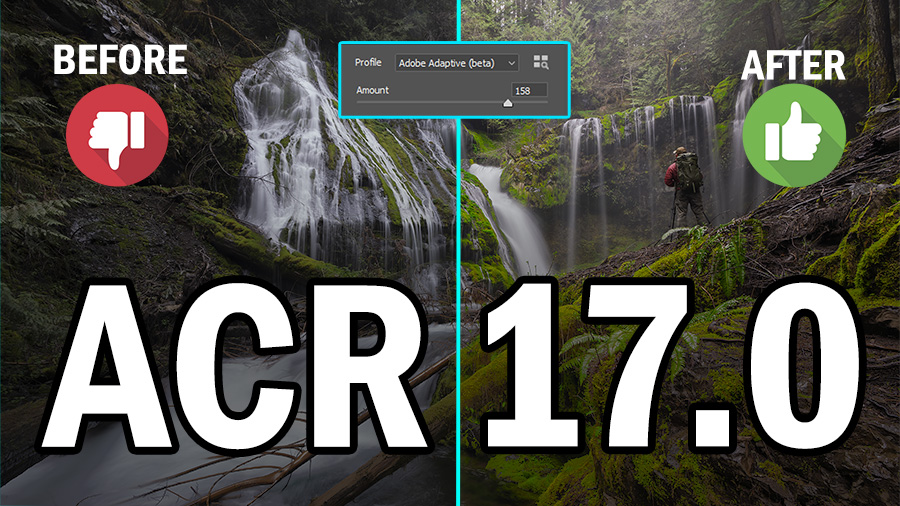
Adobe 2025 Updates ACR and PS - f64 Academy
Blake Rudisf.64 Academy and f.64 Elite are the brainchildren of Blake Rudis. While he is a landscape photographer, he is most passionate about post-processing images in Photoshop and mentoring others. For Blake, it’s all about the art and process synergy. He dives deep into complex topics and makes them easy to understand through his outside-the-box …
Adobe Photoshop 2025 Is Out! What’s New?
Exciting news for all creatives! Adobe Photoshop 2025 has just been released, and it’s time to explore what’s new. In my latest YouTube video, “Adobe Photoshop 2025 Is Out! What’s New?”, I take a close look at the new features and updates.
Photoshop Now Automatically Removes All Those Pesky Distractions
Goodbye, manual wire removal.
Adobe is adding powerful new AI features to Lightroom and Photoshop
Adobe revealed what is coming to Lightroom and Photoshop at the recently held Adobe MAX 2024 Creativity Conference. The new features revolve around using Artificial Intelligence to improve editing workflow and enhance images. Alongside the slew…
Some images in this article were created with Adobe Firefly.
Try Photoshop and all Creative Cloud apps free for 7 days.

Get tutorials & freebies delivered to you.

Subscribe to the Photoshop Roadmap newsletter, a weekly roundup of new tutorials, insights and quality downloads, trusted by 6500+ readers.

You might also like

How to Wrap Designs Around Complex Objects Using Displacement Maps in Photoshop

Professional mockups require more than simply placing a design onto an object. Complex surfaces like crushed aluminum cans demand advanced techniques to achieve realistic wrapping that follows every contour and deformation. This process combines displacement mapping, smart objects, and blending modes to create reusable templates that automatically conform any design...

How to Fix Three Confusing Default Settings in Photoshop

Sometimes Photoshop's default settings can make beginners think their software or hardware is broken. Images that fly around uncontrollably when panning, scroll bars appearing on full-size images, and zoom tools that seem to have a mind of their own are all caused by simple preference settings that can...

How to Create Better Shadows Than Drop Shadow in Photoshop

The basic drop shadow effect often looks flat and artificial compared to how shadows actually behave in real environments. Professional designers know that convincing shadows require understanding light direction, surface interaction, and atmospheric perspective. This technique demonstrates how to create custom shadows that respond naturally to your composition's...

How to Customize Your Photoshop Toolbar and Find Hidden Tools

A cluttered toolbar can slow down your workflow when you can't find the tools you need. Meanwhile, dozens of useful tools remain hidden in groups or completely out of sight. Learning to customize your toolbar lets you organize tools according to your actual workflow, remove tools you never...

How to Change Backgrounds and Match Lighting in Photoshop

Creating seamless background replacements requires more than just cutting out your subject. The real challenge lies in making the new composition look natural through proper lighting, color matching, and depth of field consistency. Modern Photoshop tools have simplified this process significantly, allowing you to achieve professional results with automated background...

How to Create a Colorful Aura Effect for Portraits in Photoshop

Portrait photography becomes truly captivating when enhanced with atmospheric effects that draw the viewer's eye. The colorful aura effect transforms ordinary portraits into striking visual statements by surrounding the subject with ethereal, glowing light that feels both magical and professional. This technique works best with portraits shot against...

You’ve successfully subscribed to Photoshop Roadmap
Welcome back! You’ve successfully signed in.
Great! You’ve successfully signed up.
Success! Your email is updated.
Your link has expired
Success! Check your email for magic link to sign-in.