Exploring the Latest Features in Photoshop 2025

Exploring the Latest Features in Photoshop 2025

Photoshop 2025 introduces powerful new tools designed to make creative work easier, faster, and more flexible. From fine-tuning selections to moving objects and speeding up your workflow, these features feel built for the way creators actually work.

In this video, we’ll show you what’s new and how these updates can help you work smarter — saving time on routine tasks, giving you more control over details, and opening up new ways to bring your ideas to life.

Watch the video

Any links or downloads mentioned by the creator are available only on YouTube

Breaking It Down

The latest Photoshop 2025 update brings several enhancements designed to improve selection accuracy, generative capabilities, and overall workflow efficiency. A key improvement is the cloud-based processing for Select > Subject, which now delivers exceptionally precise selections, even for intricate details like fences, by leveraging more powerful cloud AI.

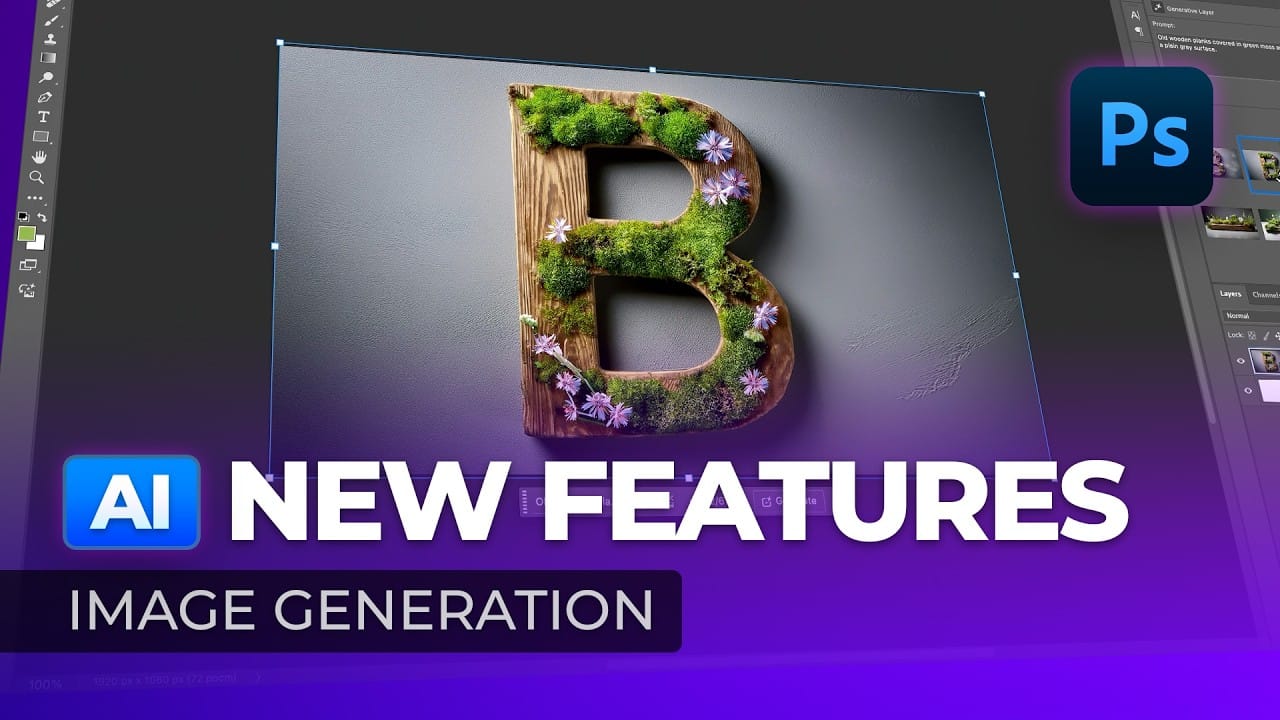
Generative capabilities, previously in beta, are now integrated into the main version of Photoshop. Users can access Generative Fill by typing descriptive text prompts or uploading a specific style or composition for inspiration. The Object Selection Tool has also been significantly upgraded with AI to Select People, allowing for automatic identification and selection of individual body parts, making precise adjustments to elements like a beard or clothing remarkably simple.

For text handling, a new Dynamic Text feature has been introduced via an icon in the options bar for the Type Tool. This innovative feature automatically resizes text to fit the width of its text box, dynamically adjusting as the box is resized. While a new Adjust Colors option in the Contextual Taskbar aims to simplify color adjustments, advanced users may still prefer the control offered by a Hue/Saturation adjustment layer coupled with direct canvas sampling, which allows for precise color range selection by holding Command or Control and dragging.

In the beta version, the Actions Panel now includes AI Suggested Actions, offering five dynamic effects like "make subject pop." While promising, the ability to generate custom actions from text prompts is not yet fully realized. Finally, new file formats, AVIF and JPEG XL, have been added to the Save As or Save a Copy options. JPEG XL is particularly notable for its ability to provide high image quality with significant compression, resulting in smaller file sizes.

Practical Tips

  • For highly detailed or complex selections, leverage the improved cloud-based Select > Subject command to achieve precise masks with minimal manual refinement.
  • Experiment with the Generative Fill feature in the main Photoshop version to rapidly generate creative image variations using either text prompts or custom style references.
  • Utilize the enhanced Object Selection Tool, specifically its AI-driven ability to Select People and individual body parts, for quick and accurate isolation of specific elements within an image.
  • Implement the new Dynamic Text feature when using the Type Tool to create responsive text layouts that automatically scale to fit their containers, ensuring consistent design across various dimensions.
  • When saving images, consider the new JPEG XL format for scenarios where high image quality needs to be maintained alongside a reduced file size, optimizing for web and sharing.

Explore further resources to deepen your understanding of Photoshop's advanced capabilities and download essential design assets.

TOP New Features in Photoshop – May 2025 Update
The Photoshop May 2025 update brings several useful features that make editing faster and more precise. One of the highlights is the improved landscape selection, which helps isolate complex scenes with ease. This can save a lot of time when working with outdoor photos or nature shots. There are also
Photoshop 2025 Top 7 New Features and Updates Explained
Adobe Photoshop 2025 has arrived, bringing an array of exciting new features that enhance user experience and functionality. This latest version includes significant upgrades that can help streamline your workflow and improve your editing capabilities. One of the standout features is the upgraded Remove Tool, designed to effortlessly eliminate distractions
Photoshop 2025: New Adjustment Brush Tool Explained
This tutorial by Aaron Nace introduces the new Adjustment Brush Tool in Photoshop 2025. This tool lets you make specific adjustments to the color and light in areas of your image. The tool creates a separate adjustment layer, meaning you can edit your image without changing the original information. You
Photoshop Beta: Exploring the New Generative Workspace
This Photoshop tutorial focuses on blending graphics with portrait photography to create striking visuals. You will learn how to use the Super Zoom feature, which allows you to upscale graphics while maintaining their resolution. This is particularly useful for achieving high-quality results in your projects. Another key component of the
New Photoshop AI Features – Smarter, Faster, and More Efficient Tools!
The latest Photoshop AI features bring a range of new tools designed to make your editing faster and more precise. You can now select people and their facial features with remarkable accuracy, eliminating the need for tedious manual masking. The updated color adjustment panel automatically detects dominant colors and applies

Get tutorials & freebies delivered to you.

Subscribe to the Photoshop Roadmap newsletter, a weekly roundup of new tutorials, insights and quality downloads, trusted by 6500+ readers.

You might also like

When to Use Saturation vs Vibrance for Better Color Enhancement

While vibrance gets praised for being "gentler" than saturation, the reality is more nuanced. Saturation works like a universal volume knob, boosting all colors equally, while vibrance acts like a smart equalizer, selectively enhancing less saturated areas first. Understanding when each approach serves your creative vision makes the...

How to Check Your Generative Fill Credit Balance in Photoshop

Keeping track of your AI credit usage becomes essential when working with premium generative features. Understanding your remaining balance helps you budget your edits and avoid unexpected interruptions during important projects. The credit system divides features into standard tools (like basic generative fill) that don't consume credits, and...

How to Create Realistic Depth Blur Effects in Photoshop

Creating professional depth of field effects can transform flat images into dynamic photographs with natural-looking focus transitions. Two powerful methods in Photoshop offer different advantages: Neural Filters provide automated depth detection with atmospheric effects like haze, while Camera Raw Filter delivers precise manual control with customizable bokeh shapes. Both techniques...

Three Professional Methods to Fix White Balance in Photoshop

Color casts can ruin even the best photographs, making whites appear yellow, blue, or green instead of neutral. Poor white balance destroys the natural look of your images and creates an unprofessional appearance that's immediately noticeable to viewers. These three techniques provide increasingly precise control over white balance...

Creating Dark Moody Wildlife Photo Edits in Photoshop

Dark, moody wildlife photography transforms ordinary animal portraits into dramatic, atmospheric pieces that capture the mystery and power of nature. This editing approach combines strategic lighting placement, careful color grading, and atmospheric effects to create compelling images that draw viewers into the scene. The workflow begins with essential noise reduction...

How to Create Professional Photo Composites in Photoshop

Creating compelling photo composites requires more than simply placing images together. This comprehensive tutorial demonstrates how to blend multiple elements seamlessly, from matching lighting and color to painting realistic shadows and highlights. The project showcases a dramatic scene inspired by Stranger Things, combining buildings, characters, and atmospheric effects with precise...

You’ve successfully subscribed to Photoshop Roadmap
Welcome back! You’ve successfully signed in.
Great! You’ve successfully signed up.
Success! Your email is updated.
Your link has expired
Success! Check your email for magic link to sign-in.