Photoshop's Dynamic Text Feature: Automatic Text Alignment and Resizing

Photoshop's Dynamic Text Feature: Automatic Text Alignment and Resizing

Text alignment in Photoshop has long been a tedious process of manual adjustments, multiple layers, and constant realignment whenever you change font sizes or content. The traditional workflow forces designers to work with separate text layers and spend valuable time fine-tuning positions with transform tools and guides.

Photoshop's new Dynamic Text feature eliminates this frustration by automatically handling text flow, alignment, and resizing within a single responsive layer. This beta feature represents a significant shift toward more intelligent text handling in the software.

Watch the Tutorial

Video by PiXimperfect. Any links or downloads mentioned by the creator are available only on YouTube

The Evolution of Text Handling in Design Software

Traditional text tools in design applications have remained largely unchanged for decades, requiring designers to manually manage every aspect of text layout. This approach works well for static designs but becomes problematic when clients request changes or when experimenting with different layouts and text lengths.

Dynamic text systems represent a fundamental shift toward adaptive design tools. Instead of fixed text blocks, these systems create responsive text containers that automatically adjust their internal layout based on available space and content changes. Professional design software has been moving toward this approach to reduce repetitive tasks and improve workflow efficiency.

The feature addresses several pain points that designers face regularly:

  • Managing multiple text layers for complex layouts
  • Realigning text elements after font or content changes
  • Maintaining consistent spacing and proportions across variations

Practical Tips for Dynamic Text

  • Access the beta version through Creative Cloud's beta apps section, as this feature is not yet available in the standard release.
  • Use manual line breaks by hitting Enter after specific words to control which phrases stay together when the text reflows.
  • Hold Control/Command while resizing the bounding box to maintain text proportions, and add Shift to preserve aspect ratio.
  • Adjust tracking and baseline shift in the Properties panel to fine-tune spacing between letters and lines within your dynamic text layout.
  • Remember the limitations — paragraph settings, individual font sizing, and kerning controls don't work the same way as traditional text layers.

Explore more advanced text techniques and creative applications in Photoshop.

Dynamic Text Tool in Photoshop - Auto-Resizing Text Feature
Text alignment and sizing across multiple layers can quickly turn into a time-consuming puzzle. Manually adjusting each text element, creating guides for alignment, and constantly repositioning elements whenever you make changes disrupts the creative flow. Photoshop’s new Dynamic Text feature bridges the gap between point text and paragraph text, automatically
Photoshop Introduces Dynamic Text Feature
Designers frequently encounter the challenge of fitting text creatively into layouts without compromising readability or aesthetics. Traditional text handling in design software often means manually adjusting font sizes, leading, or tracking every time a text box is resized, which can be a time-consuming and frustrating process, especially for complex designs
Photoshop Dynamic Text Feature Tutorial: Auto-Fitting Typography Design
Typography design often involves endless manual adjustments to make text fit perfectly within defined spaces. Every resize means recalculating font sizes, line breaks, and spacing to maintain clean alignment and readability. Photoshop’s new Dynamic Text feature automatically handles these calculations, creating pixel-perfect left and right margins while intelligently adjusting font
How to Wrap Text Around Any Shape in Photoshop
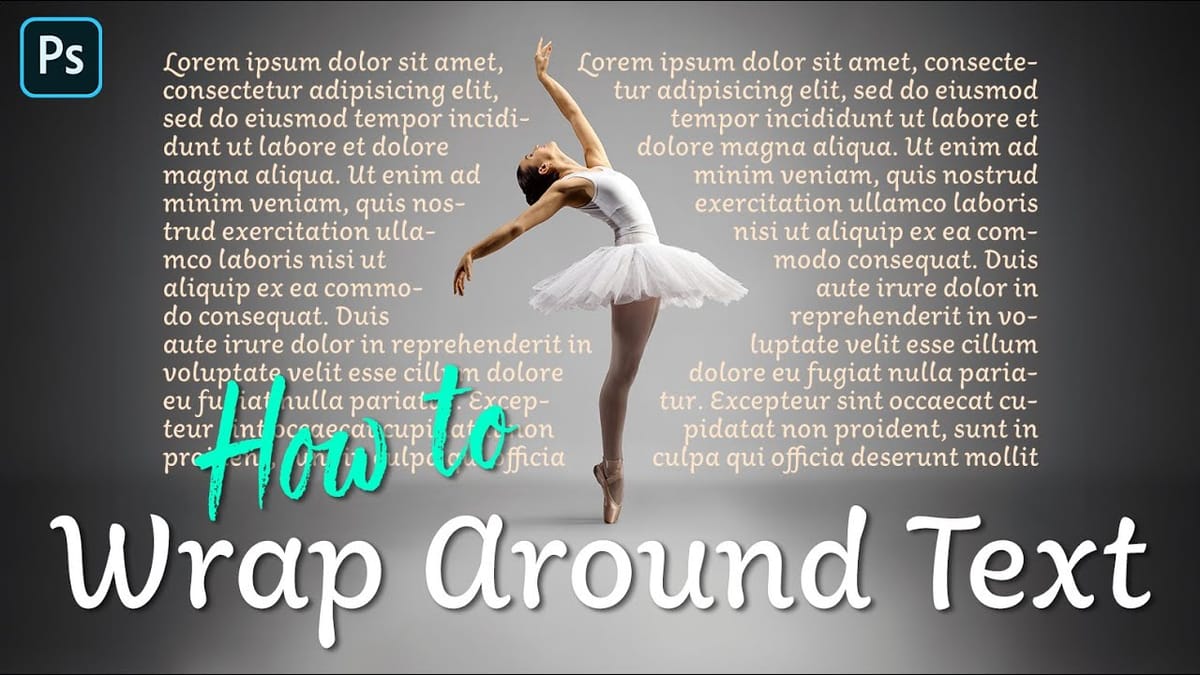
Integrating text seamlessly with complex or irregular shapes can elevate a design from good to exceptional. While standard text boxes are straightforward, the ability to make text flow naturally around the contours of a subject opens up significant creative possibilities, adding dynamism and visual interest to layouts. This tutorial will

Get tutorials & freebies delivered to you.

Subscribe to the Photoshop Roadmap newsletter, a weekly roundup of new tutorials, insights and quality downloads, trusted by 6500+ readers.

You might also like

How to Create Digital Collages Using Layers and Blend Modes in Photoshop

Digital collages combine multiple images through strategic layering and blending techniques to create compelling visual stories. This beginner-friendly approach demonstrates how to build complex compositions by layering textures, portraits, and objects while using blend modes to seamlessly integrate each element. The process focuses on practical workflow techniques including smart object...

Building Complex Composites Using Generative Fill and Layer Blending

Complex surreal composites require more than just combining random images. The key to professional results lies in systematic layering, consistent masking techniques, and building a reusable library of generated elements. This approach transforms scattered AI-generated content into cohesive artistic visions. The tutorial demonstrates how to deconstruct an existing composite to...

How to Add Any Face to Mount Rushmore Using Photoshop and AI

Adding faces to Mount Rushmore creates striking digital art that combines portrait photography with AI-powered stone carving effects. This technique uses generative AI to transform any portrait into a realistic granite sculpture that matches the lighting, texture, and monumental style of the famous presidential memorial. The process combines traditional selection...

Creating Floral Wreath Overlays in Photoshop

Floral overlays transform ordinary portraits into magical compositions perfect for pet photography, baby portraits, and creative projects. This technique shows you how to build custom floral wreaths using AI-generated base elements and real floral PNG files, creating frames that can hold any subject in the center. The process combines symmetry...

Concept Development and Mood Boarding with Firefly Boards for Fashion Design

Fashion design concept development traditionally requires gathering inspiration from multiple sources, creating mood boards, and iterating through ideas before presenting to clients. Firefly Boards streamlines this entire workflow into a single workspace where you can source inspiration, generate new variations through AI remixing, and organize final concepts into professional presentations....

How to Use Dynamic Text Shapes in Photoshop

The Dynamic Text tool introduced in 2025 was revolutionary for automatic text sizing and layout, but 2026 brings an exciting update that adds shape options to this powerful feature. You can now create circular text, arches, and bow configurations with the same intelligent resizing capabilities that made the original tool...

You’ve successfully subscribed to Photoshop Roadmap
Welcome back! You’ve successfully signed in.
Great! You’ve successfully signed up.
Success! Your email is updated.
Your link has expired
Success! Check your email for magic link to sign-in.