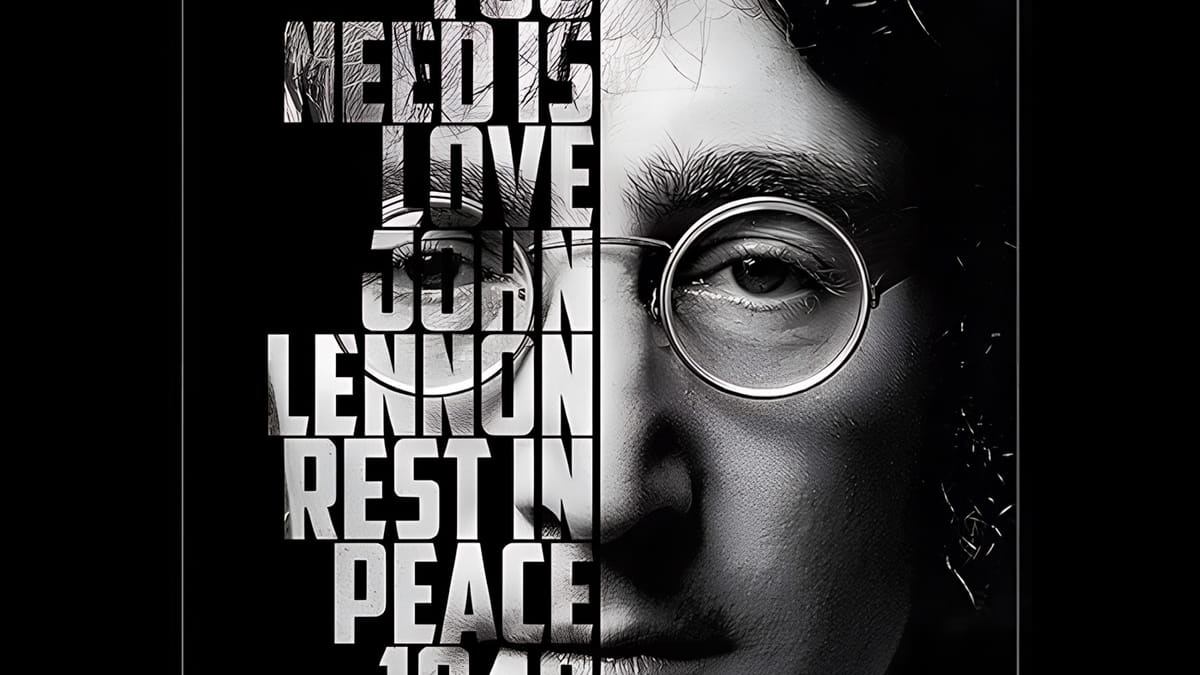
Typographic portraits transform ordinary photos into striking vector-style graphics where flowing text wraps naturally around facial contours and features. This AI-powered technique uses two strategic prompts to first create a high-contrast version of your portrait, then fills it with customizable text that follows the curves and shadows of the face.
The process works with any portrait photo, whether color or black and white, and takes just minutes to complete using the advanced capabilities of Gemini 3's contextual intelligence.
Watch the Video
Video by Photoshop Arthouse. Any links or downloads mentioned by the creator are available only on YouTube
Practical Tips
These key techniques will help you achieve the best results with your typographic portraits:
- Select your entire image using Ctrl+A (or Cmd+A on Mac) before running each prompt to ensure the AI processes the full portrait
- Enable the contextual taskbar from Window menu if it's not visible - this provides access to the AI model selection and prompt interface
- Customize the text theme in your second prompt to match your subject matter, using relevant words that relate to the person or concept in the portrait
- Use the Properties panel to generate multiple variations of your typographic portrait without re-entering prompts
- Allow 10-20 seconds processing time for each generation, as the AI analyzes facial contours and text placement simultaneously
Related Articles and Tutorials
Explore more advanced AI techniques and creative workflows for enhanced image transformations:

 Blue Lightning TV